


PADI eLearning
Guide
Complete your dive theory online before arriving at Tioman Island — learn at your own pace, anywhere, anytime.
In the scuba diving industry, PADI eLearning has been the leading digital learning platform since its launch in 2007 with the PADI Open Water Diver Course Online. It has since grown to offer 20+ courses in a variety of global languages. In July 2020, dozens of PADI eLearning Specialty courses were added to create a comprehensive library of PADI's most popular courses — so you can start your dive education from anywhere in the world.
How to Start Your PADI eLearning
Check Your Email from PADI
After registering through Tioman Dive Buddy, go to your email inbox and look for the email from PADI. Click on "Get Started" to begin.

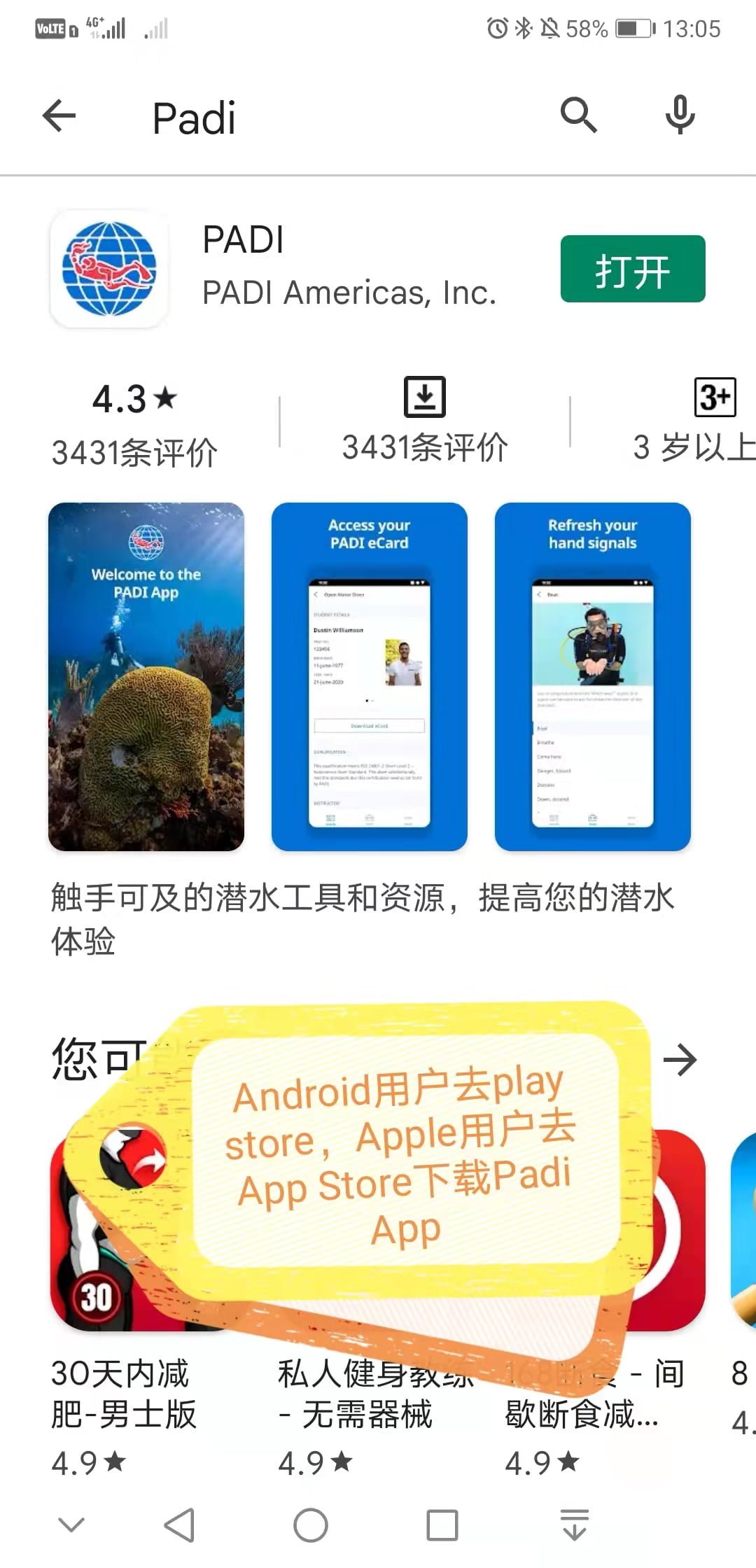
Download the PADI App
For Android users, go to the Play Store. For Apple users, go to the App Store. Search for "PADI" and download the official app.
Create Your PADI Account
Open the PADI App and tap on "Create Account" as highlighted below. Follow the prompts to set up your profile.

Tap on "Learn"
Once logged in, tap on the "Learn" tab at the bottom of the screen to access your courses.

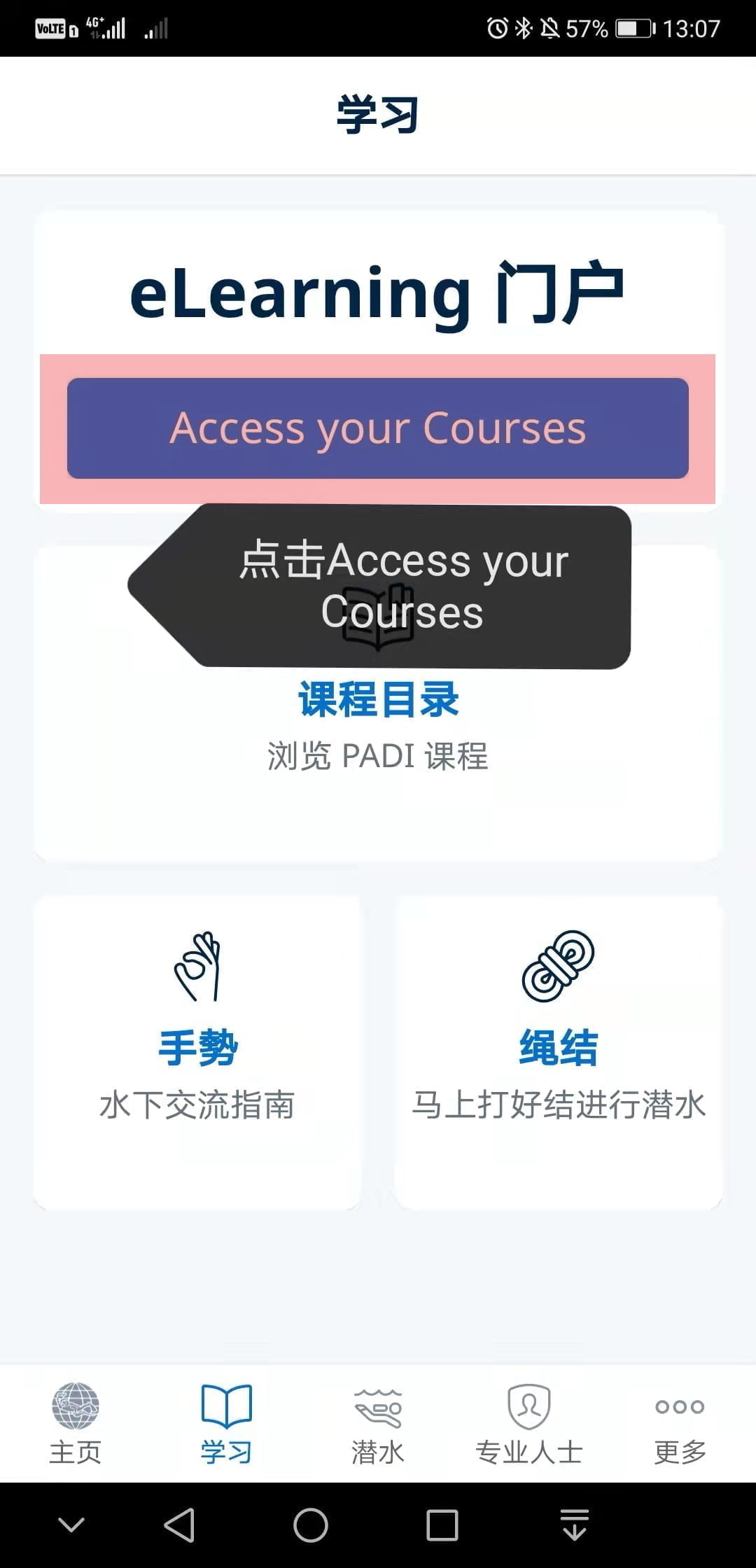
Access Your Courses
Tap on "Access your Courses" to see the eLearning course assigned to you by Tioman Dive Buddy.
Choose Your Course
Select the course you enrolled in — for example, PADI Open Water Diver or PADI Advanced Open Water.

Select Your Language & Start
Choose your preferred language for the course content, then tap "Start" to begin your eLearning journey.

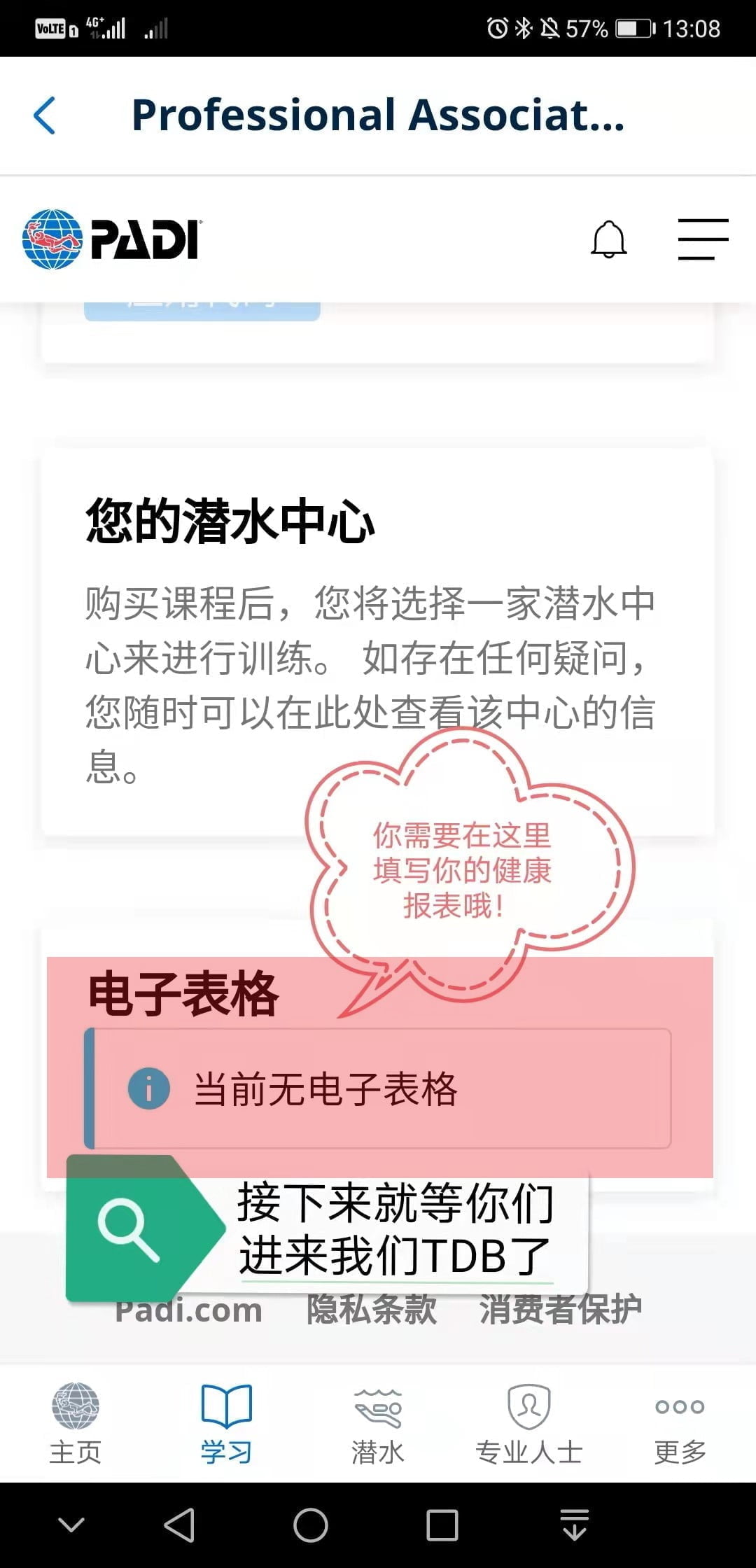
Complete the Health Form
Fill in the PADI Medical Statement / Health Form. This is a required step before you can proceed with dive training. Answer all questions honestly.
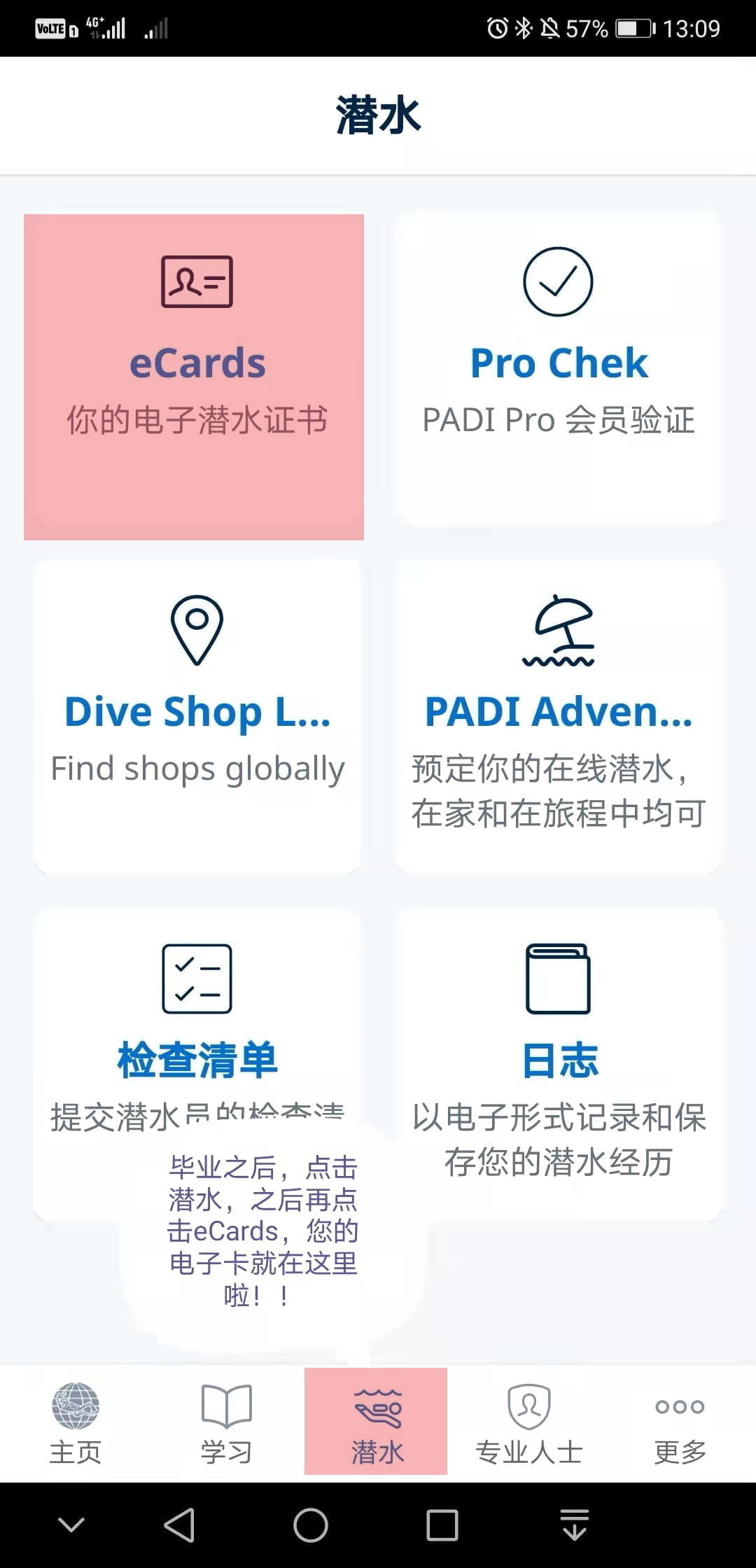
Get Your eCert / eCard
After completing your course and dives, tap on "Dive" then "eCards" to access your digital PADI certification card. You can show this anywhere in the world!
Download the PADI App
Need Help?
Having trouble with your PADI eLearning or need assistance choosing the right course? Our team is happy to guide you through the process.